Your first intercept.
Use a page you own or have permission to test. The request stays in the same Chromium runtime as the tab that made it.
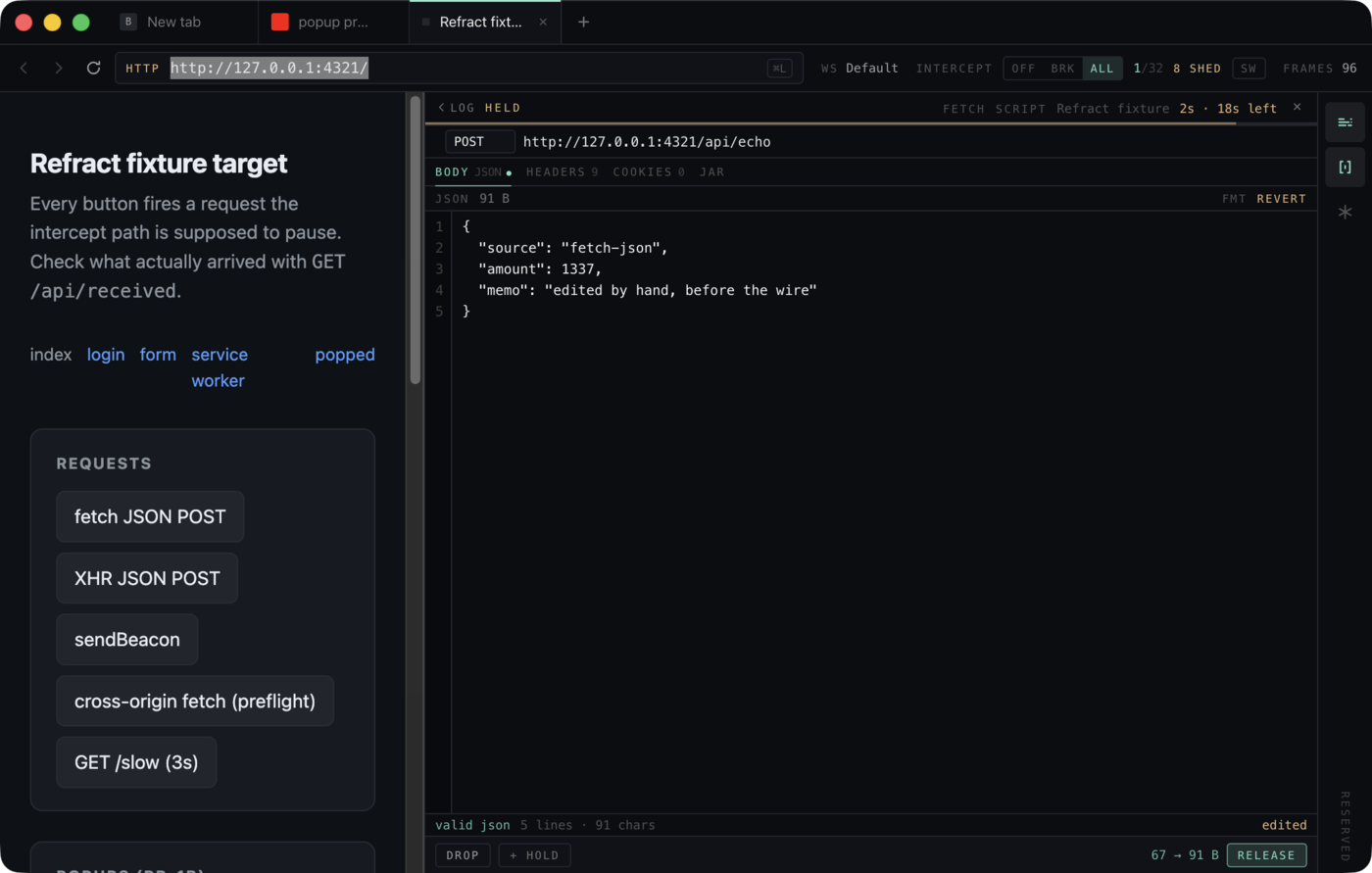
Pause, inspect, release.
- 01Open your test page
Type the address of an app you own or are authorized to test into the URL bar. A local development build is the easiest place to start.
- 02Arm interception
In the strip beside the URL bar, switch INTERCEPT from BRK to ALL. Then trigger a request from the page, such as a form submit.
- 03Inspect and edit
Select the held row in the network log. Review the method, URL, headers, and body, and edit the JSON body to change what the server receives.
- 04Release
Press RELEASE to send the bytes you chose. The home page capture shows a real run where the server received the edited JSON.
Bring your own API key.
- 01Activate your license
Open Provider keys from the panel rail on the right. Under Refract license, paste the RF- key from your license email and activate it.
- 02Save a provider key
Paste an Anthropic or OpenAI API key and save it. Refract checks it with one request to that provider and encrypts it in the local macOS profile. After that the interface shows only its last four characters.
- 03Start a turn
Open the Agent panel, pick a model, and describe the task.
Before each turn, Refract redacts Cookie, Set-Cookie, Authorization, and Proxy-Authorization values and limits how much of each body the model sees. A workspace switch turns off that redaction and sends real secret values to the model.
There is no Refract-hosted model and no bundled usage credit. Provider charges and data handling follow your agreement with that provider.
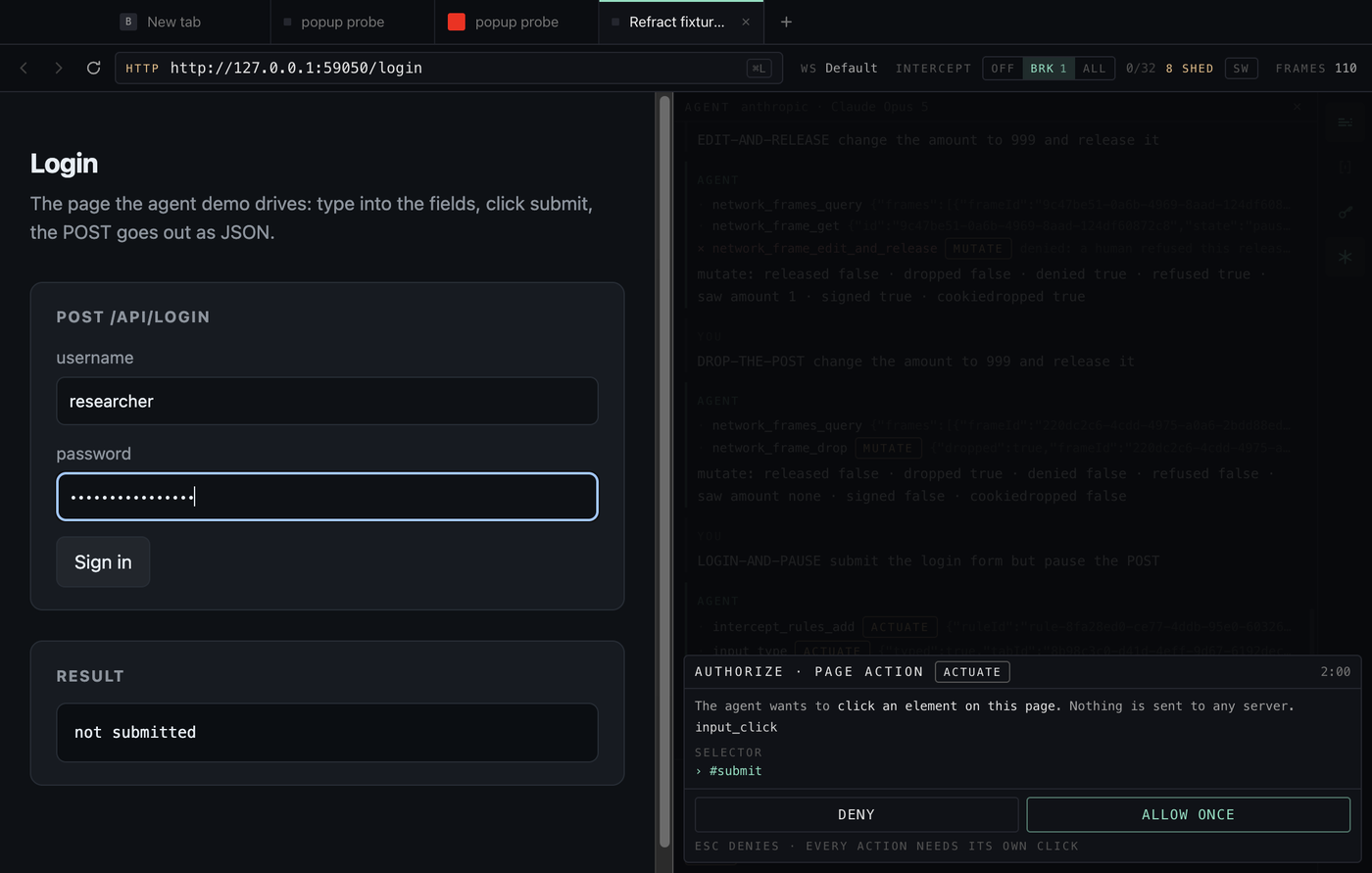
Every proposed action is a decision.
The agent can read the tab, the network log, and app state on its own. Navigating, clicking, typing, adding an intercept rule, editing app state, and editing or dropping a held request each arrive as a separate approval sheet showing the exact proposal. Click Allow or Deny. One approval is never a standing grant, and a sheet left unanswered expires as a denial.